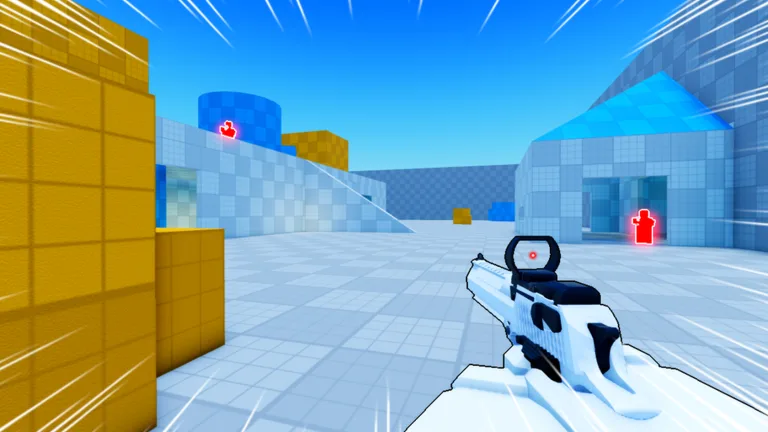
Quick Guide
- Master PC controls (C/Ctrl for slide) for precise movement.
- Optimize settings: lower sensitivity (0.8-1.2 PC), turn off camera shake.
- Prioritize movement: use slides for combat, evasion, and rotations.
- Start with accuracy, then integrate slides; practice 15 mins before matches.
- Learn from top players and every in-game death.
Welcome to Deagle Arena: Your First Steps to Dominance
Dropping into the fast-paced world of Deagle Arena on Roblox can feel intense, especially with skilled players sliding past and landing precise headshots. This Deagle Arena Roblox beginner guide is your roadmap to navigate those initial challenges, understand the core mechanics, and quickly transform from a new player into a consistent threat. With over 56 million visits and thousands of active players, the competition is real, but the fundamentals are entirely learnable.
Deagle Arena strips away complex weapon systems, focusing purely on your skill with a single, powerful weapon: the Deagle. Your success hinges on three pillars: precise aim, strategic movement, and sharp timing. Every match is a pure test of mechanical ability. The main mode is FFA Deathmatch, where you’ll spawn into an arena, fight everyone on sight, and earn points for each kill.
For new players, focusing on these core objectives will build a strong foundation:
- Prioritize Accuracy: The Deagle hits hard but has a slow fire rate, meaning every shot needs to count. Focus on landing your shots consistently.
- Learn Spawn Points: FFA maps often have predictable spawn rotations. Knowing these allows you to anticipate enemies and pre-aim common angles.
- Track Your K/D Ratio: Your kill-to-death ratio is a clear metric for improvement. Checking it after each match helps you see if your adjustments are working.
- Watch the Leaderboard: Observe the top players in your lobby. They often use techniques you can learn from, so study their movement patterns when you die.
- Play Aggressively, But Smart: Standing still often gets you eliminated instantly, but sprinting blindly into the middle of the arena is equally dangerous. Find a balance.
The beauty of Deagle Arena lies in its ability to teach you something with every death. When a sliding player one-taps you, you've just witnessed a technique you need to practice. According to community reports, most players see significant improvement within their first week if they actively focus on mastering one mechanic at a time.
Deagle Arena Controls and Essential Settings
Understanding and customizing your controls and settings is crucial for competitive play in Deagle Arena. The PC control scheme offers the most precision and is favored by nearly all top-ranked players.
On PC, your left mouse button fires, the right mouse button aims down sights, and the slide mechanic is typically bound to either C or Ctrl. This setup allows you to keep your fingers on movement keys while having instant access to sliding, which is vital for chaining movement during a fight.
Platform Comparison Table
| Feature | PC | Mobile | Controller |
|---|---|---|---|
| Aim Method | Mouse precision | Hold-to-aim release-to-shoot | Right stick + L2 aim |
| Slide Binding | C or Ctrl | Dedicated slide button | B or O button |
| Best For | Competitive play | Casual matches | Comfort players |
| Precision Level | Highest | Medium | Medium-High |
| Learning Curve | Steep | Gentle | Moderate |
Optimizing Your Settings
Tweaking your in-game settings can provide a significant advantage by improving visibility and responsiveness.
- Sensitivity: Start with a lower sensitivity and gradually increase it as you get comfortable. Most experienced PC players run between 0.8 and 1.2, but your ideal value depends on your mouse DPI and personal preference.
- Camera Shake: If this option exists, turn it off. Camera shake adds visual noise that can hinder your aim during intense engagements.
- Crosshair Color: Choose a bright color like green or magenta that contrasts with the arena environment. This ensures you never lose track of your reticle.
- Frame Rate: If you experience stuttering, lower your graphics settings. Consistent frames are more important than visual fidelity in a fast-paced shooter.
- Audio Cues: Keep sound effects on. Footsteps and slide sounds can give away enemy positions before you see them, providing crucial tactical information.
Mobile players: The hold-to-aim system has a hidden advantage.
Because you're already holding the fire button, your shot fires the instant you release, potentially faster than tapping a separate button on PC. Some mobile players develop incredibly fast reaction times with this method, proving that platform choice doesn't limit your potential.
Mastering the Movement System: Slides and Strafes
Movement is the heart of Deagle Arena. The game rewards players who are constantly in motion because a moving target is significantly harder to hit with a slow-firing weapon like the Deagle.
The slide mechanic is your most powerful movement tool. When you slide, your hitbox lowers, making headshots harder to land while you close distance or escape danger. You can slide in any direction, and chaining slides with jumps creates unpredictable movement patterns that frustrate enemy aim.
Strafe shooting is another core technique. Instead of standing still to shoot, you move left and right while firing, which makes you harder to hit while maintaining your own accuracy. The key is timing your shots between strafes, as firing mid-direction-change can throw off your aim.
Advanced Movement Techniques
- Slide-Jump Chaining: Slide, then jump at the end of the slide animation to maintain momentum. This allows you to cover ground quickly while staying unpredictable.
- Backward Sliding: Slide away from an enemy while still facing them. This creates distance while keeping your crosshair on target, perfect for winning fights against aggressive pushers.
- Corner Sliding: Slide into a corner and immediately change direction. This can fake out enemies who are pre-aiming your previous trajectory.
- Slide-Cancel Shooting: Slide, then cancel the slide with a jump and shoot mid-air. This is an advanced technique that can catch enemies off guard because they expect you to still be sliding.
Movement Comparison Table
| Technique | Difficulty | Best Use Case | Risk Level |
|---|---|---|---|
| Basic Strafe | Easy | Every engagement | Low |
| Slide Entry | Medium | Pushing corners | Medium |
| Slide-Jump Chain | Medium-Hard | Rotating across map | Medium |
| Backward Slide | Hard | Retreating while firing | High |
| Slide-Cancel Shot | Very Hard | Surprise eliminations | Very High |
The best way to internalize these movement patterns is to spend time in the arena just moving around without shooting. Focus on chaining slides, jumping at the right moments, and maintaining your speed while changing directions. According to player testing, spending just 10 minutes per session on movement practice produces noticeable improvement within a week, as your muscle memory builds faster than you expect.
Your First Practice Routine for Rapid Improvement
Now that you understand the mechanics, this section of the Deagle Arena Roblox beginner guide focuses on turning that knowledge into actual skill. Reading about techniques is useful, but consistent practice is what transforms you from a beginner into a competitor.
The most effective practice routine combines aim training, movement drills, and live match experience. You should spend about 15 minutes on structured practice before jumping into real matches, because warmed-up hands perform significantly better than cold ones.
Weekly Practice Schedule for Beginners
- Day 1: Movement Focus — Spend 20 minutes doing slide drills and strafe practice in the arena before playing matches.
- Day 3: Combat Focus — Play matches with the specific goal of using the slide in every engagement, even if it gets you eliminated initially.
- Day 4: Positioning Focus — Watch the minimap and practice rotating to high-traffic areas instead of running randomly.
- Day 5: Full Practice — Combine all drills for 30 minutes, then play matches applying everything you've learned.
- Day 6: Review and Rest — Watch your own gameplay if possible, note your mistakes, and take a lighter day.
- Day 7: Competitive Focus — Apply everything in ranked matches, treating each game as a test of your progress.
Skill Progression Checklist
- Week 1 Goal — Land consistent body shots and remember to slide in combat.
- Week 2 Goal — Win more than 50 percent of your one-on-one duels.
- Week 3 Goal — Chain slides and jumps without consciously thinking about the inputs.
- Week 4 Goal — Maintain a positive kill-to-death ratio in most matches.
The fastest way to accelerate your improvement is to study players who are better than you. When you get eliminated, take a moment to watch the kill cam and note what the enemy did differently. Did they slide into you? Were they strafing in a pattern you didn't expect? These observations are free lessons you can apply immediately in your next life. For more detailed information on the game, visit the official Deagle Arena Roblox page.
Frequently Asked Questions
What is the best sensitivity setting for beginners in Deagle Arena? Start with a sensitivity around 0.8 on PC and adjust from there. Lower sensitivity gives you more control for precise shots, while higher sensitivity lets you turn faster for close-range fights. Most players find their ideal range between 0.8 and 1.2, but personal preference and mouse DPI affect the perfect value.
How long does it take to get good at Deagle Arena? Most players see meaningful improvement within two to three weeks of regular play, according to community reports. The key is consistent practice with specific goals rather than just playing matches mindlessly. Players who spend 15 minutes on movement and aim drills before matches typically improve twice as fast as those who jump straight into games.
Is the slide mechanic necessary for winning fights in this Roblox game? Yes, the slide is essential for competitive play because it changes your hitbox position and makes you significantly harder to hit. While you can win fights without sliding, you will consistently lose to players who use it effectively. The slide is not just a movement tool; it is a combat mechanic that gives you a real advantage in every duel in Deagle Arena.
Can I play Deagle Arena competitively on mobile? Absolutely. Mobile players can compete at high levels, although the control scheme requires adjustment. The hold-to-aim release-to-shoot system actually enables very fast reaction shots once you master it. Several top-ranked players reportedly use mobile exclusively, proving that platform choice does not limit your ceiling.
What should I focus on first as a complete beginner in Deagle Arena? Focus on accuracy before movement. Master the Deagle’s firing rhythm and crosshair placement first—landing shots is everything. Once body shots feel consistent, then layer in slides and strafing. Mastering one mechanic at a time is more effective than trying to rush everything. The core rule of this Deagle Arena Roblox beginner guide is: slow is smooth, smooth is fast.